Email Automation: Save Time and Boost ROI Instantly
Introduction
Email automation is the practice of sending pre-built, behaviour-triggered emails to subscribers without manual intervention. It’s not just a time-saver — when done right it delivers relevant messages at the right moment, increasing opens, clicks and revenue per subscriber. The best part: you often see efficiency gains and revenue lift within days of launching the right automations (welcome flows, cart recovery, re-engagement), not months.
Below is a step-by-step guide to set up high-impact email automation that saves time and boosts ROI — fast.

Step-by-step: build automation that works
1. Define clear goals and KPIs
Decide what “boost ROI” means for you: more purchases, higher average order value, better lead-to-demo conversion? Pick 2–3 KPIs to track (conversion rate, revenue per recipient, subscriber lifetime value, unsubscribe rate). Clear goals shape your flows and measurement.

2. Map the customer journeys worth automating
List the high-value moments: new subscriber welcome, first purchase onboarding, cart abandonment, browse abandonment, post-purchase cross-sell, re-engagement for inactive users. Prioritise flows that directly move revenue or retention.
3. Choose the right tool and integrate data
Pick an ESP/marketing automation platform that fits your stack and volume. Ensure it integrates with your e-commerce/CRM and can read events (page view, add-to-cart, purchase). Integration quality directly affects how quickly automations start producing results.
4. Design simple, high-converting workflows
Start small. Examples:
Welcome flow (3 emails): immediate welcome → value + social proof (day 2) → offer or product highlight (day 5).
Cart recovery (2–3 emails): 1 hour reminder → 24-hour nudge with urgency → final reminder with small incentive at 72 hours.
Post-purchase (2 emails): order confirmation + shipping → follow-up for reviews/cross-sell after delivery.
Simplicity beats complexity at first — you can expand once you see positive ROI.
5. Build smart, dynamic templates
Use dynamic blocks: product recommendations, first name personalised, recent browsed items. Keep copy tight and outcome-driven: clear subject lines, one CTA per email, and concise pre-header text. Mobile-first design matters — most opens are on phones.

6. Set triggers, throttling, and frequency rules
Define exact triggers (event-based vs. time-based). Add throttling so contacts don’t receive too many messages. Use exclusion rules (e.g., do not send cart recovery if purchase completed). Proper trigger logic reduces unsubscribes and improves deliverability.
7. Test, deploy, and measure quickly
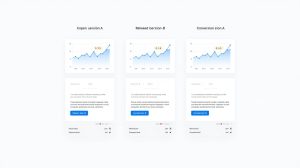
Before full rollout: QA links, rendering (desktop + mobile), and personalised tokens. Launch to a subset if possible. Track your KPIs daily at first: open rate, CTR, conversion rate, and revenue per recipient. Use quick A/B tests on subject lines and timing — iterate based on the fastest-moving metric (usually conversion or revenue).
8. Optimise and scale
Once a flow shows positive ROI, expand personalised (behavioural segments), add multi-channel touches (SMS, in-app), and test deeper variants (different incentives or creative). Regularly prune underperforming emails and keep content fresh.
Conclusion
Email automation is one of the fastest ways to reduce manual workload and increase revenue — if you define goals, start with the highest-impact journeys, and measure results. Launch simple flows (welcome, cart recovery, post-purchase), measure the right KPIs, and iterate fast. Do that and you’ll save hours every week while watching ROI climb — often within the first few campaigns.
Want a ready-to-deploy 3-email welcome flow or a cart-recovery sequence you can copy into your ESP? I can draft the exact subject lines, body copy, and timing now.